Google Search Console Reports Every SEO Should Monitor
- By admin
- Aug 21, 2026
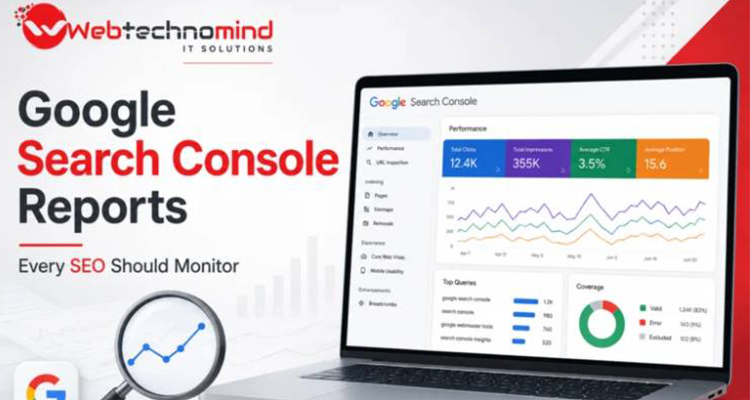







Google Search Console (GSC) is one of the most valuable free tools available to SEO professionals. It provides direct insights into how Google discovers, crawls, indexes, and ranks your website. While many website owners use Search Console simply to check keywords and clicks, the platform offers several reports that can reveal technical issues, ranking opportunities, indexing problems, and changes in organic performance.
For SEO professionals, regularly monitoring the right Google Search Console reports can make the difference between reacting to traffic drops and identifying problems before they become serious.
In this guide, we explore the Google Search Console reports every SEO should monitor and explain what each report can tell you.
Google Search Console gives website owners valuable first-party information about their performance in Google Search. Unlike many third-party SEO platforms that estimate rankings and traffic, Search Console provides data directly from Google’s search ecosystem.
SEO professionals can use it to:
However, the key is knowing which reports deserve regular attention.
The Performance report should be one of the first reports every SEO checks regularly.
It shows how your website performs in Google Search based on metrics such as:
You can also analyze performance by queries, pages, countries, devices, and search appearance.
Don’t focus only on total traffic. Look for changes in individual queries and pages.
For example, a page ranking in positions 5–15 may represent a strong optimization opportunity. Improving its content, internal links, headings, and search intent alignment could potentially move it closer to the top results.
Also look for pages receiving many impressions but relatively few clicks. These pages may need better title tags and meta descriptions.
The Page Indexing report helps you understand which pages Google has successfully indexed and which pages are excluded.
This report can uncover issues such as:
Indexing problems can prevent otherwise valuable content from appearing in Google Search.
Pay particular attention to sudden increases in excluded URLs or changes in the number of indexed pages.
A growing number of excluded pages isn’t automatically a problem because some exclusions are intentional. The important question is whether Google is excluding pages that you actually want indexed.
User experience has become an important part of modern SEO. The Core Web Vitals report helps website owners understand how real users experience their pages.
The primary metrics include:
These metrics measure loading performance, responsiveness, and visual stability.
A website can have excellent content and backlinks but still provide a poor experience if pages load slowly or elements shift unexpectedly.
SEOs should monitor Core Web Vitals regularly, particularly after major website redesigns, theme changes, plugin updates, or development work.
The HTTPS report helps identify whether pages are being served securely through HTTPS.
HTTPS is essential for modern websites because it protects data exchanged between users and websites while also supporting trust and security.
SEOs should investigate unexpected increases in non-HTTPS URLs, especially if the website is intended to operate entirely over HTTPS.
Also make sure redirects, canonical URLs, internal links, and sitemap URLs consistently use the preferred HTTPS version.
The Sitemaps report allows SEOs to submit XML sitemaps and monitor whether Google can process them successfully.
An XML sitemap helps search engines discover important URLs on a website.
Regularly check:
If your website contains thousands of pages, the sitemap report becomes particularly useful for monitoring whether important content is being discovered efficiently.
The Links report provides information about your website’s internal and external links.
You can review:
Internal linking deserves special attention because it helps search engines understand the relationship between pages and distribute authority throughout your website.
Look for important pages that receive very few internal links. Strengthening relevant internal links can improve discoverability and help users navigate related content more easily.
The Manual Actions report is critical because it can reveal whether Google has taken manual action against your website for violating its spam policies.
Possible issues can involve:
If a manual action appears, SEO teams should investigate it immediately and follow Google’s recommended remediation process.
The Security Issues report should not be ignored.
It can alert website owners to serious security problems that could affect visitors and search visibility, including hacked content, malware, or deceptive pages.
A compromised website can damage organic visibility and, more importantly, expose visitors to security risks.
If Search Console reports a security issue, address it as a high-priority technical problem rather than treating it as a normal SEO task.
The Performance report also provides valuable information about how pages appear in search results.
Depending on the website, you may see search appearance categories related to features such as:
Monitoring search appearance can help SEOs understand how structured data and page formats influence search visibility.
Although not technically a traditional report, the URL Inspection tool is essential for SEO troubleshooting.
It allows you to investigate individual URLs and understand whether Google can access and index them.
You can use it to check:
When publishing important new content or fixing technical problems, URL Inspection can help verify how Google sees the page.
Not every report needs to be checked every day.
A practical monitoring schedule is:
Daily: Performance overview, major traffic changes, security issues, and manual actions.
Weekly: Indexing, Core Web Vitals, sitemap status, important query/page changes, and internal linking opportunities.
Monthly: Search trends, overall SEO growth, excluded pages, search appearance, and technical health.
For large websites or websites undergoing frequent technical changes, more frequent monitoring may be appropriate.
Google Search Console is much more than a keyword-ranking dashboard. It is a powerful source of information for understanding how Google interacts with your website.
The most important reports to monitor include Performance, Page Indexing, Core Web Vitals, HTTPS, Sitemaps, Links, Manual Actions, Security Issues, Search Appearance, and URL Inspection.
The real SEO advantage comes from turning these reports into actions. A sudden decline in clicks should lead to investigation. An increase in excluded pages should be reviewed. Pages with high impressions and low CTR should be optimized. Poor Core Web Vitals should trigger technical improvements.
When monitored consistently, Google Search Console can help SEOs identify problems earlier, uncover ranking opportunities, improve website health, and make better decisions based on actual Google Search data.
Read More

In today’s competitive digital marketplace, having a website is only the first step towards building a successful online...

In today’s digital-first marketplace, having a website is not enough. Your customers need to find your business when...

Search is changing. People are no longer relying only on traditional Google results to discover businesses, products and...

Search is changing. People no longer rely only on traditional Google results to discover businesses, products, services, and...