Google Analytics 4 (GA4) Complete Guide: Setup, Reports & Conversion Tracking Explained
- By admin
- Aug 19, 2026

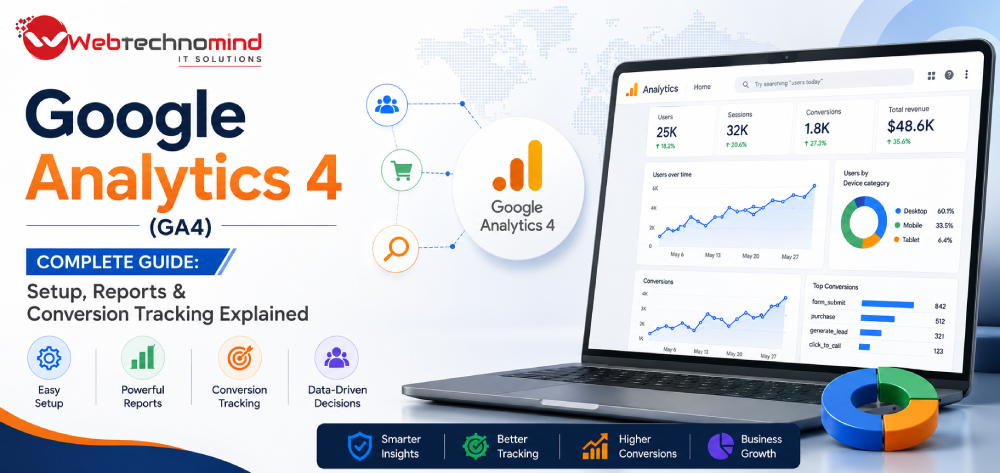







Understanding how visitors interact with your website is essential for making better marketing and business decisions. While website traffic numbers can tell you how many people visit your website, they do not always explain where visitors come from, what they do, and which actions generate business value.
This is where Google Analytics 4 (GA4) becomes valuable.
GA4 is Google’s modern analytics platform designed to provide an event-based view of user interactions across websites and apps. Instead of focusing only on pageviews and sessions, GA4 allows businesses to measure individual interactions such as clicks, form submissions, purchases, video engagement, and other events.
This complete GA4 guide explains how Google Analytics 4 works, how to set it up, how to understand its reports, and how to configure conversion tracking effectively.
Google Analytics 4 (GA4) is an analytics platform that measures how users interact with websites and applications.
GA4 uses an event-based measurement model, meaning user interactions are recorded as events rather than relying primarily on traditional session-based reporting.
Examples of events include:
This approach gives businesses a more detailed understanding of customer behavior.
GA4 can help businesses answer important questions such as:
Instead of looking only at traffic, businesses can analyze the complete customer journey.
Setting up Google Analytics 4 requires creating an analytics property and connecting it to your website.
Start by creating a Google Analytics property for your business or website.
During setup, define the appropriate reporting settings and business information.
The property becomes the central location where your website’s analytics data is collected and reported.
For a website, create a web data stream and enter the website URL and relevant stream information.
GA4 provides a measurement ID associated with the web data stream.
This ID is used to connect your website with Google Analytics.
The GA4 tracking implementation needs to be added to your website.
Depending on your technical setup, you can implement tracking through:
Google Tag Manager can be particularly useful for businesses managing multiple tracking and marketing tags.
After installing the tracking system, verify that data is being received correctly.
Use real-time or debugging features to confirm that website interactions are being recorded.
Do not assume tracking is working simply because the tracking code has been installed.
One of the biggest differences between GA4 and older analytics approaches is the event-based measurement model.
Instead of treating a user’s activity primarily as a session, GA4 records individual interactions as events.
For example:
User visits website → Page view event
User clicks CTA → Click event
User submits form → Form event
User purchases product → Purchase event
This allows businesses to analyze specific interactions throughout the customer journey.
GA4 can automatically collect certain events depending on the implementation and configuration.
Examples can include:
Additional events can be implemented based on the requirements of the website.
Businesses should identify the interactions that are meaningful for their objectives.
For a service business, useful events may include:
For e-commerce:
The important principle is to track meaningful user actions rather than every possible interaction.
In GA4, valuable events can be designated as conversions or key events depending on the current terminology and interface used in the platform.
A conversion represents an action that matters to your business.
Examples include:
For example, a service business may configure a successful contact form submission as a key business outcome.
Tracking these actions allows you to understand which channels and campaigns contribute to meaningful results.
The basic process involves:
Determine which user action represents a successful outcome.
Create or implement the relevant event through your tagging or website setup.
Identify the event as a conversion or key event within GA4 according to your reporting requirements.
Submit a test form, complete a purchase, or perform the relevant action and verify that the event is recorded correctly.
Once sufficient data has accumulated, analyze the event by traffic source, campaign, landing page, device, and other dimensions.
GA4 reports can appear complex initially, but most businesses can focus on a few important areas.
Acquisition reports help you understand where users come from.
You can analyze traffic associated with channels such as:
These reports can help identify which channels are attracting users.
Engagement reporting helps you understand what users do after arriving on your website.
Useful metrics and dimensions include:
This can reveal which pages and interactions are most valuable.
For e-commerce businesses, monetization reports can help analyze:
Revenue-focused reporting can help connect marketing activity with financial outcomes.
Depending on your configuration and available data, GA4 can provide insights into users and audiences.
Use these insights carefully and always consider applicable privacy requirements.
Explorations provide more flexible ways to analyze data beyond standard reports.
Businesses can use explorations to investigate questions such as:
Funnel analysis can be especially useful for identifying friction in important customer journeys.
GA4 can provide useful insights for SEO teams when combined with search performance data.
You can analyze:
However, GA4 does not replace search performance tools for measuring search queries and keyword rankings.
Instead, use analytics and search performance data together to understand both search visibility and post-click behavior.
Connecting GA4 with Google Ads can provide a broader view of how advertising traffic behaves after users arrive on your website.
This can help advertisers evaluate:
Accurate conversion configuration is critical. Poor tracking can result in incorrect campaign optimization and misleading performance reports.
Avoid these common implementation problems:
A clean analytics setup is more valuable than collecting enormous amounts of poorly structured data.
For a reliable GA4 implementation:
Define your measurement strategy first.
Decide what information your business actually needs.
Track meaningful events.
Prioritize interactions that support business goals.
Use consistent naming.
Keep event names and parameters organized.
Test regularly.
Verify tracking after website updates.
Connect marketing platforms where appropriate.
This can help connect traffic with campaign performance.
Protect user privacy.
Implement analytics according to applicable laws, regulations, and platform requirements.
Review reports regularly.
Analytics becomes valuable when insights lead to business decisions.
Google Analytics 4 is more than a website traffic reporting platform. It is a powerful measurement system for understanding user behavior and connecting digital activity with business outcomes.
A successful GA4 setup begins with clear measurement goals. From there, businesses should configure accurate events, identify important conversions, analyze acquisition and engagement data, and continuously test their implementation.
Whether you operate a service website, e-commerce store, SaaS platform, or content-driven business, GA4 can provide valuable insights into how users discover and interact with your digital presence.
The key is not to collect as much data as possible. The goal is to collect accurate, meaningful data that helps your business make better decisions.
Google Display Ads can help businesses reach potential customers across websites, apps, video platforms, and other digital environments....
Modern websites often use multiple tracking and marketing technologies. Businesses may need to measure website visits, button clicks,...
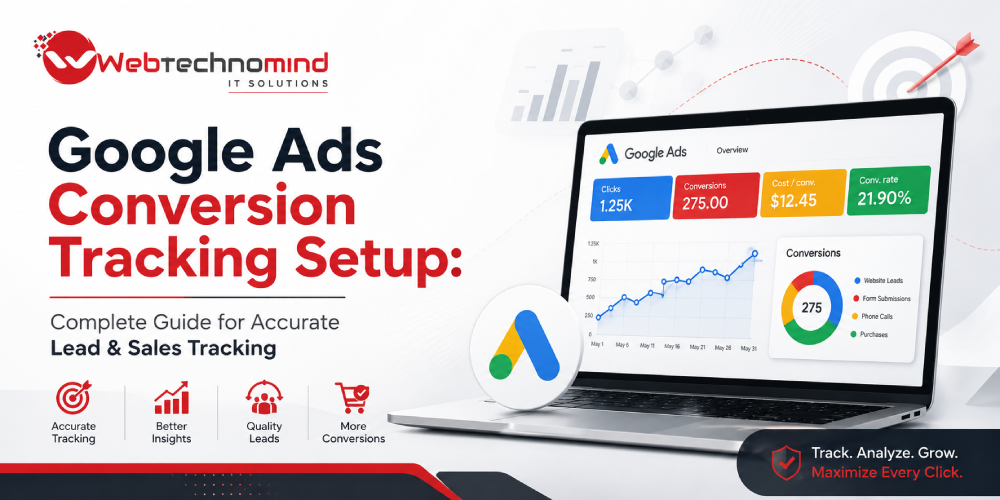
Running Google Ads without accurate conversion tracking is like running a business without knowing which sales activities generate...
Google Search Ads remain one of the most effective ways for businesses to reach people who are actively...