Google Ads Conversion Tracking Setup: Complete Guide for Accurate Lead & Sales Tracking
- By admin
- Aug 19, 2026

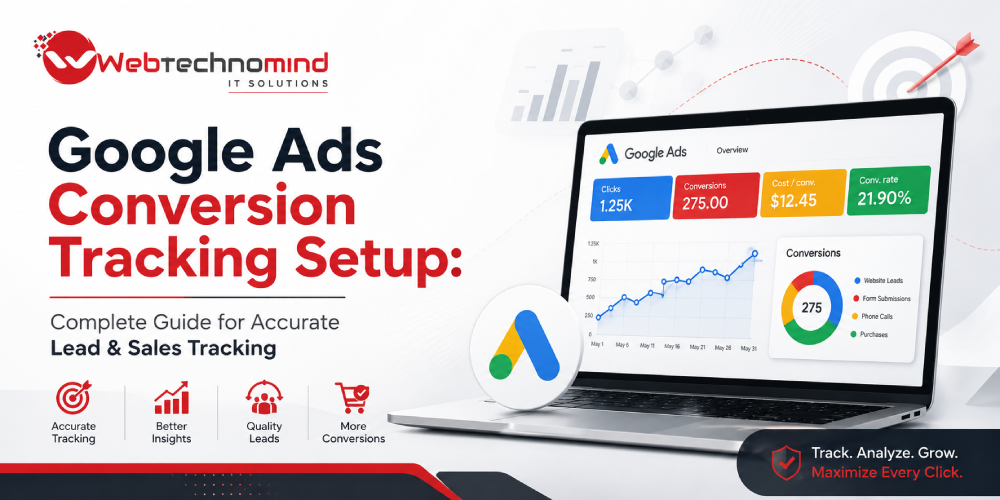







Running Google Ads without accurate conversion tracking is like running a business without knowing which sales activities generate revenue.
You may know how many clicks and impressions your campaigns receive, but without reliable conversion data, it becomes difficult to determine which keywords, advertisements, audiences, and campaigns are actually producing valuable leads and customers.
Google Ads conversion tracking helps businesses measure the actions users take after interacting with an advertisement. These actions can include submitting a lead form, making a phone call, purchasing a product, booking an appointment, or completing another valuable action.
In this guide, we’ll explain how Google Ads conversion tracking works, what you should track, how to set it up, and how to avoid common tracking mistakes.
Google Ads conversion tracking is a measurement system that records valuable actions taken by users after interacting with your advertisements.
A conversion could be:
For example, if 1,000 people click your advertisement and 50 submit your enquiry form, conversion tracking can help identify those 50 conversions.
This information allows advertisers to evaluate conversion rate, cost per conversion, campaign performance, and return on advertising investment.
Conversion tracking is not just a reporting feature. It can directly influence campaign optimization.
When Google Ads receives reliable conversion data, advertisers can better understand which traffic produces meaningful business results.
Accurate tracking helps you:
Without accurate tracking, businesses may optimize campaigns based on clicks rather than actual business outcomes.
The right conversion actions depend on your business model.
Track actions such as:
Track:
For e-commerce, purchase value is particularly important because two conversions may have completely different revenue values.
Track:
The objective should be to connect advertising activity with meaningful business outcomes.
Not every tracked action should be treated equally.
For example, a service business might track:
Primary conversion: Contact form submission
Secondary conversions:
Primary conversions should represent actions that directly contribute to your business goals.
This distinction helps prevent campaigns from optimizing heavily toward low-value actions.
The exact interface can change over time, but the overall process follows a similar structure.
Before installing any tracking code, decide what constitutes a successful conversion.
Ask:
Avoid tracking dozens of meaningless interactions simply because they are technically measurable.
Inside your Google Ads account, create conversion actions based on the outcomes you want to measure.
Typical conversion categories include:
For a website lead-generation campaign, website conversions such as form submissions are usually important.
Website conversion tracking generally requires the appropriate Google tagging implementation.
Depending on your website and setup, tracking may be implemented through:
Google Tag Manager can be particularly useful when multiple marketing and analytics tags need to be managed centrally.
For lead-generation websites, form submissions are often one of the most important conversion actions.
There are several approaches to tracking forms.
A conversion can potentially be recorded when:
Event-based tracking is generally preferable to simply tracking button clicks because a click does not always mean a successful form submission.
For example, a user may click “Submit” but receive a validation error. Counting that interaction as a lead would create inaccurate data.
Phone calls can be extremely valuable for service businesses.
Depending on your setup, you may track calls generated from:
However, simply counting every call as a conversion may not provide accurate lead data.
Where possible, consider distinguishing between meaningful calls and very short or accidental calls.
For online stores, conversion tracking should go beyond simply counting purchases.
Ideally, your tracking should capture:
Revenue data allows advertisers to compare advertising costs against actual sales value.
For example:
Campaign A
Ad Spend: ₹50,000
Revenue: ₹1,50,000
Campaign B
Ad Spend: ₹50,000
Revenue: ₹80,000
Both campaigns spent the same amount, but their business performance is significantly different.
Revenue-based measurement provides a much clearer picture of advertising efficiency.
Enhanced conversion features can help improve the accuracy of conversion measurement by using appropriately provided first-party customer information in a privacy-conscious manner.
For businesses generating leads through forms, this can potentially provide stronger measurement signals than relying only on basic browser-based tracking.
Implementation should be completed carefully and in accordance with applicable privacy requirements and platform policies.
For lead-generation businesses, the conversion does not necessarily end when someone submits a form.
A website may generate:
100 leads → 30 qualified leads → 10 opportunities → 4 customers
If Google Ads only measures the initial form submission, the platform may treat all 100 leads equally.
CRM integration and offline conversion measurement can help businesses connect advertising activity with later stages of the sales process.
This can allow businesses to understand which campaigns generate revenue-producing customers rather than simply form submissions.
A button click is not necessarily a successful form submission.
Poorly configured tags can sometimes fire multiple times for a single action.
A thank-you page can be useful for tracking, but ordinary page views should not automatically be treated as valuable conversions.
For many service businesses, phone calls can be more valuable than online forms.
E-commerce and high-value lead businesses can benefit significantly from assigning appropriate conversion values.
Never assume tracking works simply because the tag has been installed.
Test the complete customer journey before relying on the data.
After implementation, perform controlled tests.
Check whether:
Use browser and tag-debugging tools where appropriate to verify implementation.
Follow these best practices:
Track business outcomes: Focus on actions that matter financially.
Use consistent naming: Give conversion actions clear and descriptive names.
Separate primary and secondary actions: Don’t allow low-value interactions to distort optimization.
Track revenue where possible: Value-based data provides better business insight.
Connect your CRM: Understand which advertising sources generate customers.
Audit tracking regularly: Website updates can accidentally break tags.
Test after major changes: Always verify tracking following redesigns, form changes, or analytics updates.
Google Ads conversion tracking is the foundation of effective PPC optimization.
Without reliable conversion data, advertisers may make decisions based on clicks, impressions, or traffic rather than actual business outcomes.
A properly configured tracking system helps businesses understand which campaigns, keywords, advertisements, and audiences generate valuable leads and sales.
For service businesses, focus on qualified leads, calls, appointments, and eventual customers. For e-commerce businesses, track purchases and revenue. For businesses with longer sales cycles, consider connecting Google Ads with CRM and offline conversion data.
The ultimate goal is simple: connect advertising spend with measurable business results.
When conversion tracking is accurate, Google Ads becomes more than a traffic-generation channel—it becomes a measurable and optimizable customer acquisition system.
Google Display Ads can help businesses reach potential customers across websites, apps, video platforms, and other digital environments....
Modern websites often use multiple tracking and marketing technologies. Businesses may need to measure website visits, button clicks,...
Understanding how visitors interact with your website is essential for making better marketing and business decisions. While website...

Google Search Ads remain one of the most effective ways for businesses to reach people who are actively...