Zapier Automation Guide: How to Connect Apps & Automate Business Processes Without Coding
- By admin
- Sep 02, 2026

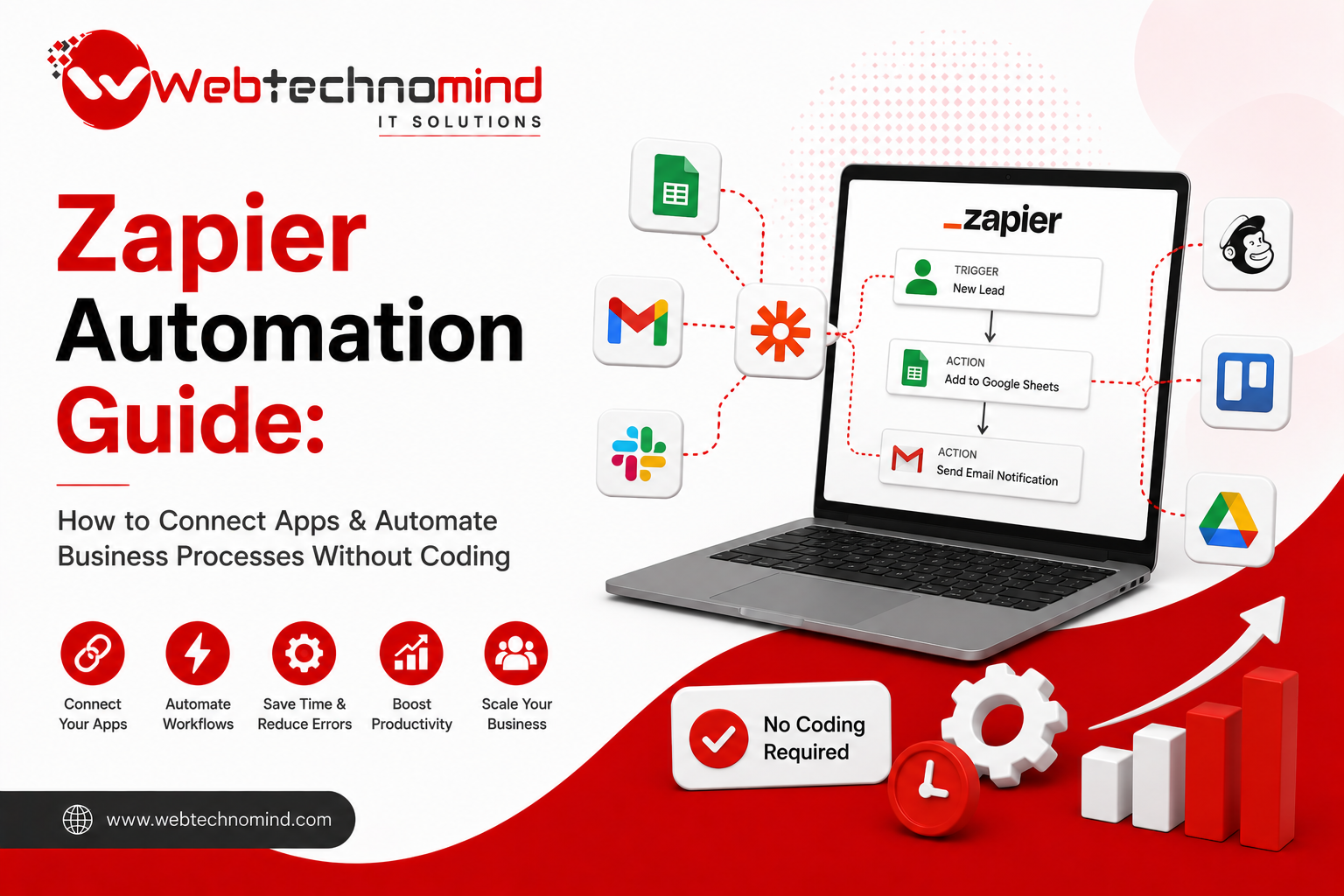







Businesses use dozens of applications every day for marketing, sales, customer support, project management, accounting, communication, and data management. The problem is that these tools often operate separately. Employees may spend hours copying information from one application to another, sending repetitive emails, updating spreadsheets, or creating tasks manually.
This is where Zapier automation can make a significant difference.
Zapier is a no-code automation platform that allows businesses to connect different applications and create automated workflows without writing programming code. Whether you want to send new leads to your CRM, notify your sales team about new inquiries, or automatically organize customer information, Zapier can help streamline these processes.
In this guide, we will explore how Zapier works, how to connect apps, common business automation examples, and how companies can use automation to save time and improve productivity.
Zapier automation is a method of connecting different software applications so that they can automatically perform tasks based on specific events.
A Zapier workflow is commonly built around two main components:
For example, imagine someone fills out a contact form on your website.
The trigger could be:
New website form submission
The actions could be:
Add the lead to your CRM → Send an email notification to the sales team → Add the lead to Google Sheets → Send a welcome email to the customer
Instead of an employee performing each step manually, Zapier can execute the workflow automatically.
Manual repetitive tasks can consume a surprising amount of time. Employees may repeatedly move data between applications, update records, send notifications, and perform administrative tasks.
Automation helps reduce this workload.
Some important benefits of business process automation include:
Automating repetitive tasks allows employees to focus on higher-value activities such as sales, strategy, customer relationships, and creative work.
Manual data entry can result in incorrect information, duplicate records, or missed tasks. Automated workflows can improve consistency.
When a new lead or customer inquiry arrives, automation can immediately notify the appropriate team member instead of waiting for someone to check the system.
Businesses often use CRM platforms, email marketing software, spreadsheets, project management tools, payment systems, and communication applications. Zapier can connect many of these tools into a unified workflow.
As a business grows, the number of repetitive tasks usually increases. Automation allows companies to handle more activity without increasing administrative workload at the same rate.
Creating a Zapier automation is generally straightforward.
Start by selecting the application where an important event occurs.
For example:
Suppose you receive leads through a website form. Your form application becomes the trigger app.
Next, choose what should start the automation.
For example:
New Form Submission
Every time a visitor submits the form, Zapier detects the event.
Zapier will ask you to connect the selected application. Depending on the application, you may need to authorize Zapier to access specific information.
Only provide the permissions required for your workflow.
Now select what should happen after the trigger.
For example, you could connect the workflow to:
The next step is mapping information from the trigger into the action.
For example:
Customer Name → CRM Name
Customer Email → CRM Email
Phone Number → CRM Phone
Message → CRM Notes
This allows information submitted through one application to automatically appear in another.
Before activating the automation, test it carefully.
Check whether the information is being transferred correctly and whether the resulting action works as expected.
Once everything works correctly, activate the workflow.
From that point forward, Zapier can perform the configured actions automatically whenever the trigger occurs.
Zapier becomes especially useful when it is applied to real business processes.
Lead generation is one of the most common use cases.
For example:
Website Form → CRM → Sales Notification → Follow-Up Task
When a prospect submits a form, Zapier can automatically create a CRM record, notify the sales representative, and create a follow-up task.
This helps reduce the risk of losing potential customers.
Marketing teams can automate repetitive campaign tasks.
For example:
New Lead → Email Marketing Platform → Add Subscriber → Send Welcome Email
This can help businesses respond to new subscribers quickly while keeping marketing databases organized.
Sales teams can connect lead sources with their CRM and communication tools.
For example:
New Lead → CRM → Slack Notification → Sales Task
The sales representative can receive an immediate notification and follow up while the lead is still engaged.
Automation can also improve customer service.
For example:
New Support Form → Help Desk → Assign Ticket → Notify Support Team
This creates a structured process for incoming customer requests.
When a new project is approved, automation can create project tasks automatically.
For example:
New Client → Project Management Tool → Create Project → Assign Tasks → Notify Team
This reduces the amount of manual project setup required.
Businesses can also automate administrative workflows.
For example:
Successful Payment → Update Spreadsheet → Notify Finance Team → Send Customer Confirmation
This can help maintain accurate records while reducing manual administration.
Simple one-step workflows are useful, but businesses can build more advanced automation systems as their requirements grow.
For example, a workflow could use multiple steps, filters, conditions, and data transformations.
A lead automation could work like this:
New Lead → Check Lead Source → Determine Lead Quality → Add to CRM → Notify Sales Team → Create Follow-Up Task
You can also create different actions depending on specific conditions.
For example, high-value leads could be immediately assigned to a senior salesperson, while lower-priority leads could enter an automated nurturing campaign.
This makes automation more intelligent and useful for larger teams.
Automation is powerful, but poorly designed workflows can create problems.
Not every business process needs automation. Automate repetitive and predictable tasks first.
If the information entering your workflow is incomplete or incorrect, automation may simply move bad data faster.
Overly complicated workflows can become difficult to troubleshoot. Start with simple workflows and expand them gradually.
Always test workflows before using them in important business processes.
Consider what should happen if an application is unavailable, information is missing, or an action fails.
To get better results from Zapier, follow a few practical principles.
Start small: Automate one repetitive process before building a complex automation system.
Document workflows: Keep a record of what each automation does and which applications it connects.
Review regularly: Business processes change. Review your automations periodically to ensure they are still useful.
Protect sensitive information: Use appropriate permissions and avoid unnecessarily exposing confidential business data.
Measure results: Track time saved, response speed, lead handling, and other relevant business metrics.
Zapier can be particularly useful for businesses that rely on multiple software applications and frequently perform repetitive administrative tasks.
It can help startups, agencies, eCommerce businesses, marketing teams, sales organizations, consultants, and service providers connect their existing tools without requiring a dedicated development team for every small integration.
However, Zapier is not always the best solution. Highly customized, complex, or performance-critical integrations may require APIs, custom software development, or dedicated automation platforms.
The key is to identify which processes are repetitive, predictable, and valuable enough to automate.
Zapier automation makes it possible to connect apps and automate business processes without coding. By connecting the tools your team already uses, you can reduce repetitive work, minimize manual errors, improve response times, and create more efficient workflows.
The best approach is not to automate everything at once. Start by identifying tasks that employees perform repeatedly, such as transferring leads, sending notifications, updating spreadsheets, creating tasks, or managing customer information.
Once those workflows are automated successfully, you can gradually build a more connected and efficient business operation.
For businesses looking to improve productivity without investing heavily in custom software for every workflow, Zapier can be a practical starting point for no-code business automation.
Read More




Artificial Intelligence (AI) is transforming how businesses operate, communicate with customers, analyse data, and deliver services. From intelligent...

Artificial intelligence is rapidly changing how businesses handle content, customer support, software development, research, and everyday operations. Among...

Artificial intelligence is changing how businesses handle repetitive tasks, customer communication, data processing, content creation, and decision-making. But...
Introduction Managing customer relationships manually can quickly become difficult as a business grows. Sales teams need to follow...