







Images are an important part of modern websites. They make content more engaging, explain complex ideas visually and can help users understand products and services faster.
However, simply uploading an image to your website isn’t enough. Image SEO helps search engines understand your images while improving page performance and the overall user experience.
Well-optimized images can also create additional opportunities to appear in Google Images and other search experiences.
In this complete Image SEO guide, you’ll learn how to optimize images for search engines, improve page speed, write effective alt text, select the right formats and follow image SEO best practices.
Image SEO is the process of optimizing website images so that search engines can understand their content while ensuring they load efficiently and provide value to users.
Image optimization includes:
A strong image SEO strategy should benefit both search engines and website visitors.
Optimized images can provide several benefits:
For eCommerce websites, blogs and service websites, properly optimized images can also help users understand products, processes and concepts more effectively.
Choosing an appropriate image format can significantly affect file size and quality.
Common formats include:
Useful for photographs and images with many colors.
Useful when transparency or high-quality graphics are required.
A modern format that can provide high-quality images at smaller file sizes than many traditional formats.
Another modern image format that can provide highly efficient compression and is increasingly supported by modern browsers.
Choose the format based on the image type, browser compatibility and performance requirements.
Large image files can slow down your website.
Before uploading images:
For example, uploading a 5 MB image when the webpage only needs a 200 KB version creates unnecessary performance overhead.
The objective is simple:
Best possible visual quality + smallest practical file size.
Search engines can use filenames as one of several signals to understand an image.
Avoid generic filenames such as:
IMG12345.jpg
Instead, use descriptive names such as:
image-seo-guide-2026.jpg
Good filenames should:
Don’t stuff keywords into filenames simply for SEO.
Alt text is one of the most important elements of image optimization.
It helps search engines understand an image and provides a text alternative for users who cannot see it.
SEO image SEO image optimization SEO
SEO specialist analyzing website image optimization data
Effective alt text should:
If an image is purely decorative and provides no informational value, it may not require descriptive alt text.
Don’t upload images that are significantly larger than their displayed dimensions.
For example, if your website displays an image at 800 × 500 pixels, uploading a 4000 × 2500 pixel version creates unnecessary file weight.
Resize images according to their actual display requirements.
Also consider using responsive image techniques so browsers can select an appropriate image size based on the user’s device.
Visitors may access your website from:
A responsive image setup can serve different image sizes depending on the user’s device and screen resolution.
This can reduce unnecessary downloads and improve performance, especially on mobile devices.
Don’t add images simply because you need more visuals.
Images should support the surrounding content.
For example, an article about website speed could include:
Relevant images can make content easier to understand and more useful to readers.
Large images can affect website performance and Core Web Vitals.
Pay particular attention to Largest Contentful Paint (LCP) when a large image is the primary content visible when a page loads.
Performance improvements may include:
Google recommends optimizing page experience and Core Web Vitals as part of creating a better user experience.
Lazy loading delays loading certain images until they are needed.
This can reduce the amount of content the browser needs to load immediately.
However, avoid lazy loading critical above-the-fold images that are needed immediately when the page loads.
Use lazy loading primarily for images that appear further down the page.
For websites that rely heavily on image search, image information can be included in sitemaps to help search engines discover important images.
This can be especially useful for:
Make sure important images are crawlable and aren’t unintentionally blocked by robots.txt or other technical restrictions.
Captions aren’t required for every image, but they can provide additional context when users benefit from knowing what an image represents.
For example:
“Website traffic increased by 42% after implementing technical SEO improvements.”
A useful caption can improve understanding and reinforce the relationship between the image and surrounding content.
Using the same generic stock image across dozens of pages usually provides little additional value.
Where possible, use:
Unique and useful visual content can make your pages more informative and memorable.
Image SEO should also consider accessibility.
Use meaningful alt text where appropriate and ensure important information isn’t communicated through images alone.
For example, if an infographic contains critical information, consider providing the important information as text on the page as well.
Accessibility improvements can create a better experience for a broader audience.
For online stores, image SEO is particularly important.
Product images should have:
For example:
black-leather-office-chair.jpg
is more descriptive than:
product001.jpg
Optimized product images can improve both user experience and opportunities for search visibility.
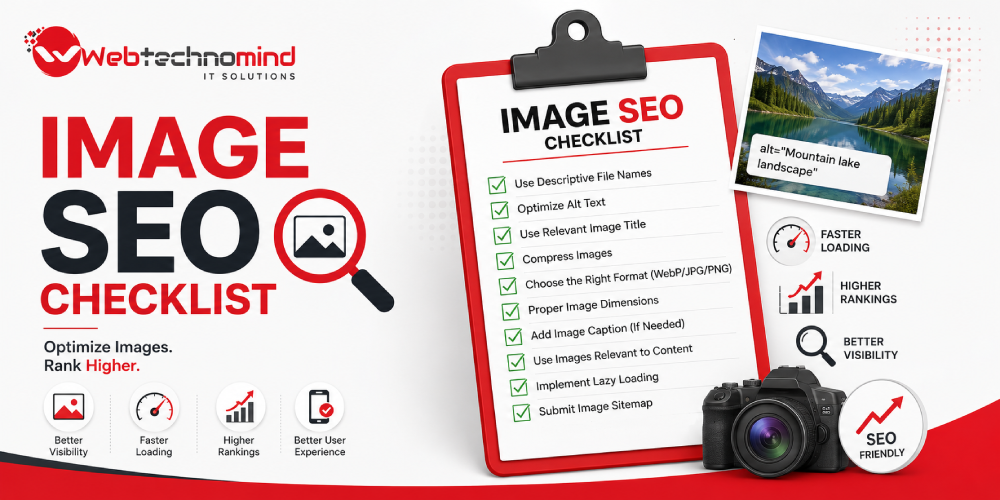
Before publishing an image, check:
Avoid these common problems:
Image SEO is an important part of modern website optimization. Properly optimized images can improve page performance, accessibility, user experience and opportunities to appear in image search.
The most effective approach is to optimize every image from the moment it is created or uploaded. Choose the right format, compress the file, use descriptive filenames, write meaningful alt text and ensure the image loads efficiently across devices.
Image optimization shouldn’t be treated as a separate SEO task. It should be part of your overall on-page and technical SEO strategy.

In today’s competitive digital marketplace, having a website is only the first step towards building a successful online...

In today’s digital-first marketplace, having a website is not enough. Your customers need to find your business when...

Search is changing. People are no longer relying only on traditional Google results to discover businesses, products and...

Search is changing. People no longer rely only on traditional Google results to discover businesses, products, services, and...